U-Manager Online
Select bay
[ Firmware · Android · Unraid 6.12+ ]

Your Unraid server,in your pocket.

Check the array, restart a container, start a VM or pull a file without opening a laptop. U-Manager talks to the API that already ships with Unraid, so there is nothing to install on the server to get going.

UMGR BIOS v1.0 — self test Array ............ Started Docker ........... 34 running Virtual machines . 2 online Parity ........... Valid Telemetry ........ Not found Ready.

Core app free · add-ons sold separately

No account. Credentials stay encrypted on your device and are never sent anywhere else. See what the add-ons unlock.

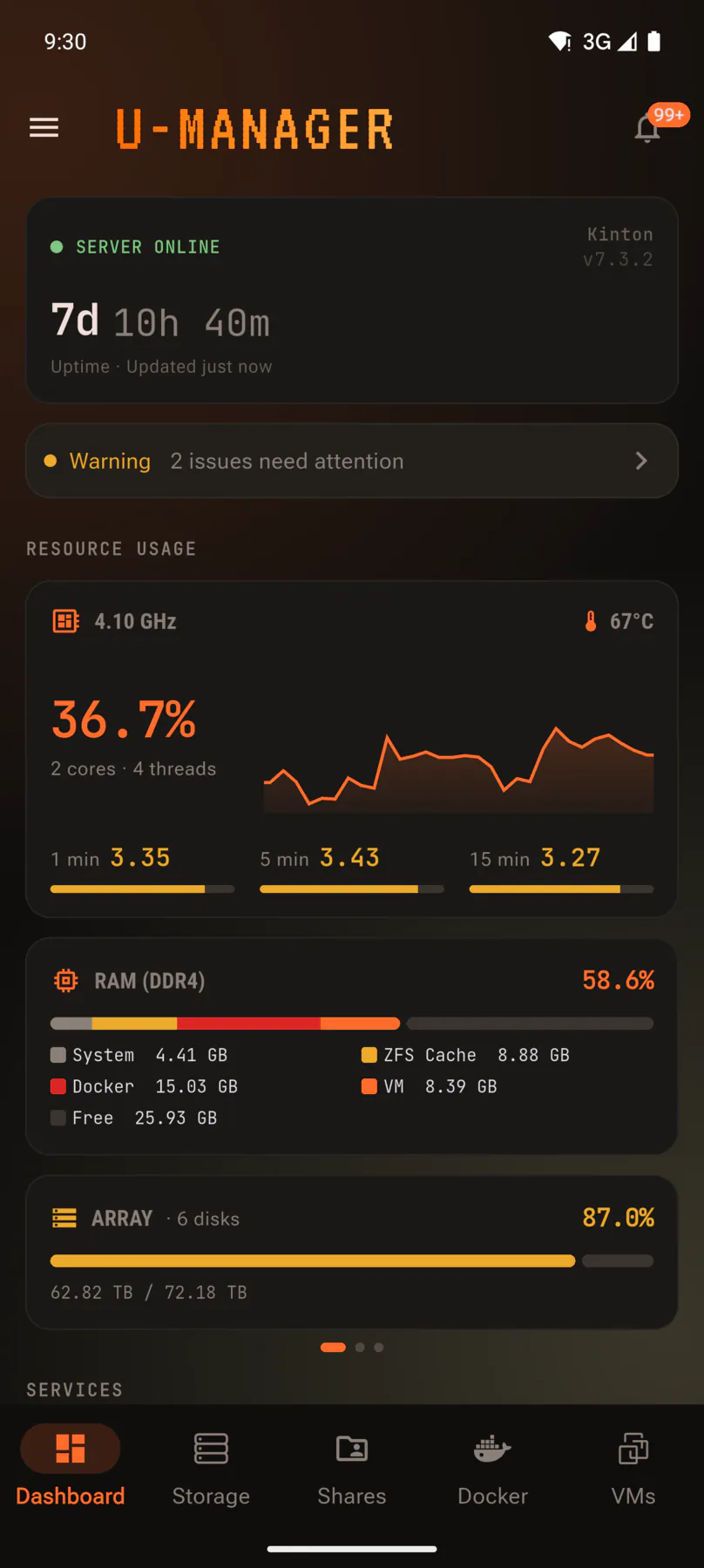
U-Manager dashboard showing uptime, CPU, RAM and disk usage.
Video in · Dashboard
Bay 01 · Dashboard

Know the state of the box at a glance

Uptime, CPU, memory and every disk, updating live. If a parity check, rebuild or resync is running you see it here first.

  • Real-time CPU, RAM and disk usage
  • Array and cache state, with capacity per disk
  • Parity checks, rebuilds and resyncs as they happen
  • Docker and VM counters, so you spot a stopped container fast
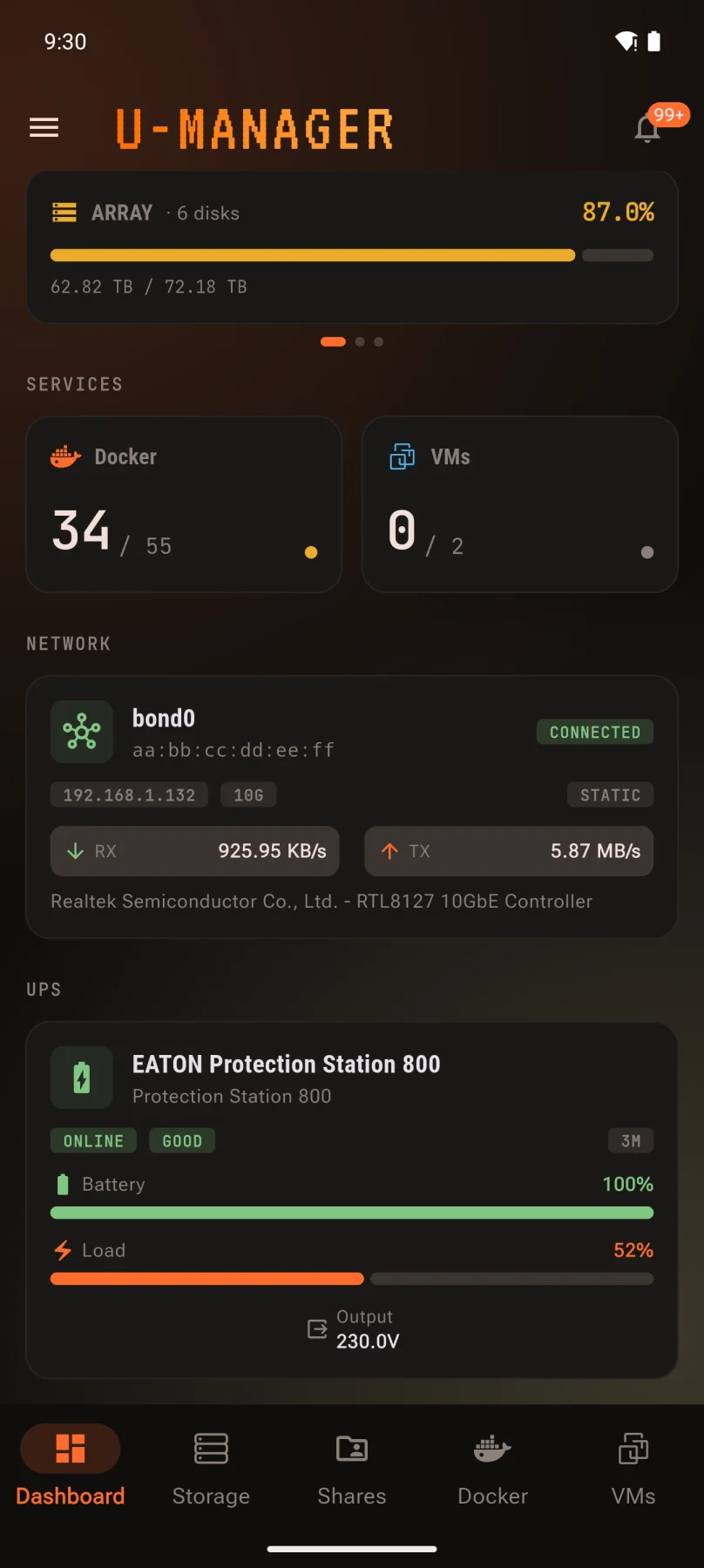
  • UPS battery, load and status — any NUT-compatible unit
Dashboard with uptime, CPU graph, RAM and array bars.
Video in · Dashboard
Uptime, CPU, memory and array, all moving in real time.
Dashboard cards for RAM, array, Docker, VMs and network throughput.
Video in · Services
Docker and VM counters, the live network card and your UPS, further down the same screen.Network card: Power Pack
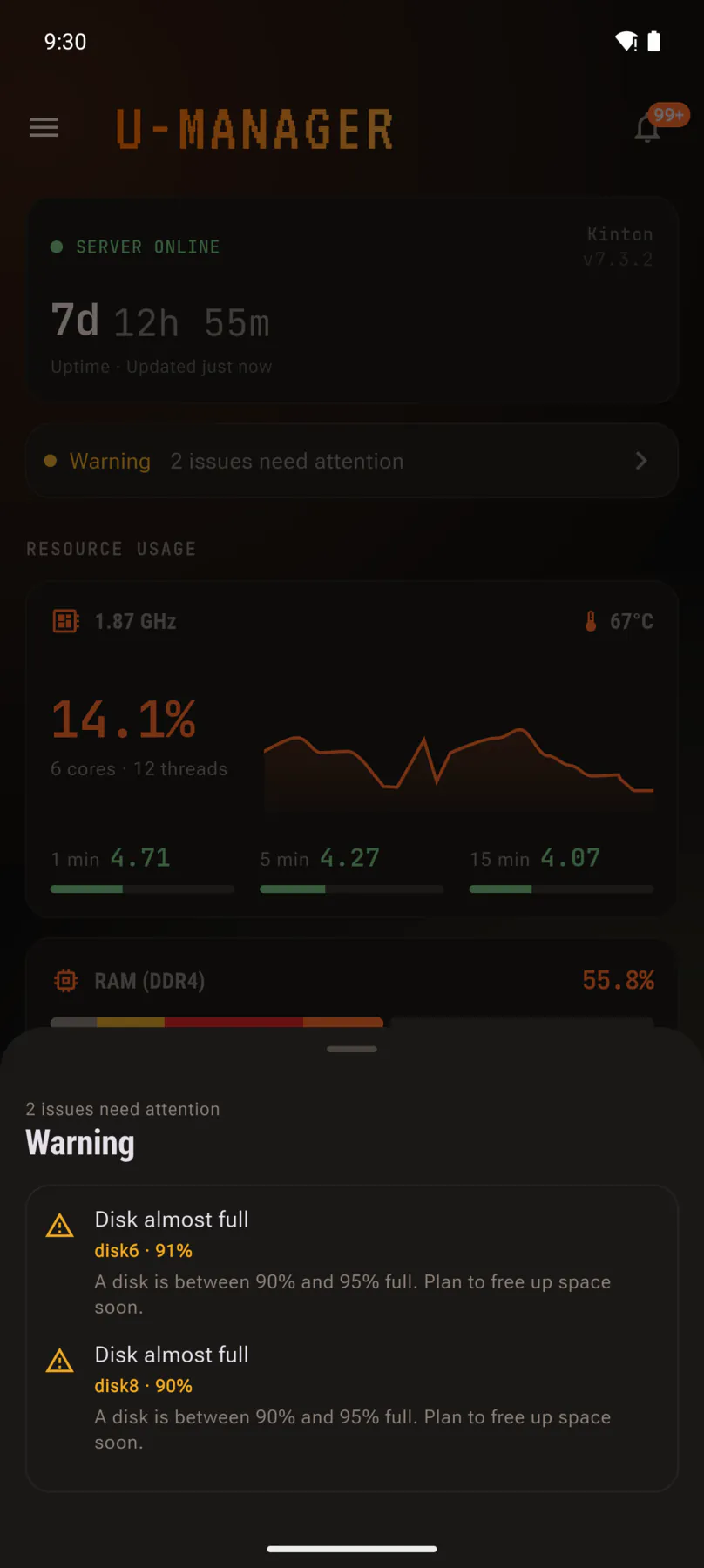
Health panel listing two disks that are almost full.
Video in · Health
Tap the health line and it tells you exactly what needs attention.
CH 1/3
Bay 02 · Docker

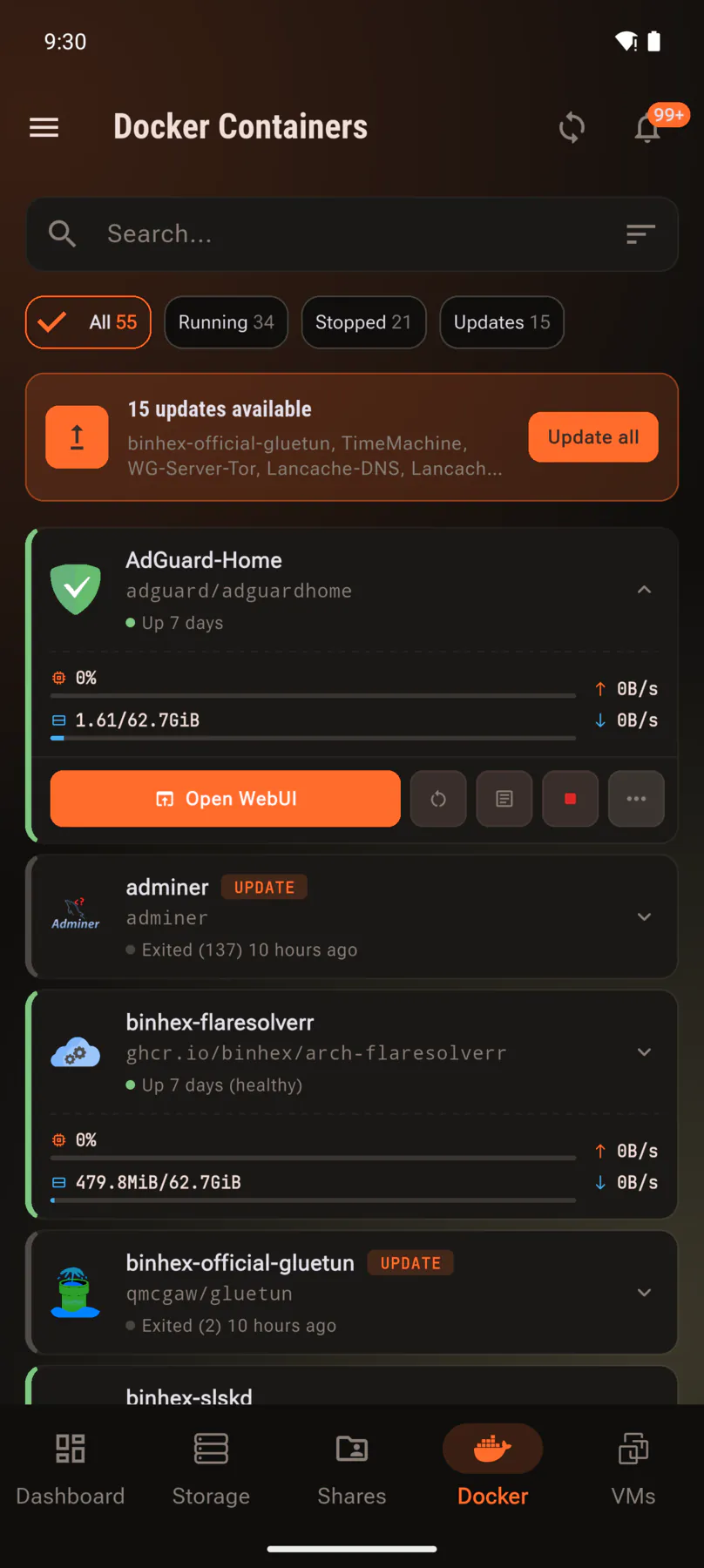
Your containers, without the web UI

Start, stop and restart anything on the box, and jump straight into a container’s own web interface when you need the real thing.

  • Start, stop and restart containers
  • Search and filter by state
  • Open any container’s WebUI in one tap
  • Read container logs from the app
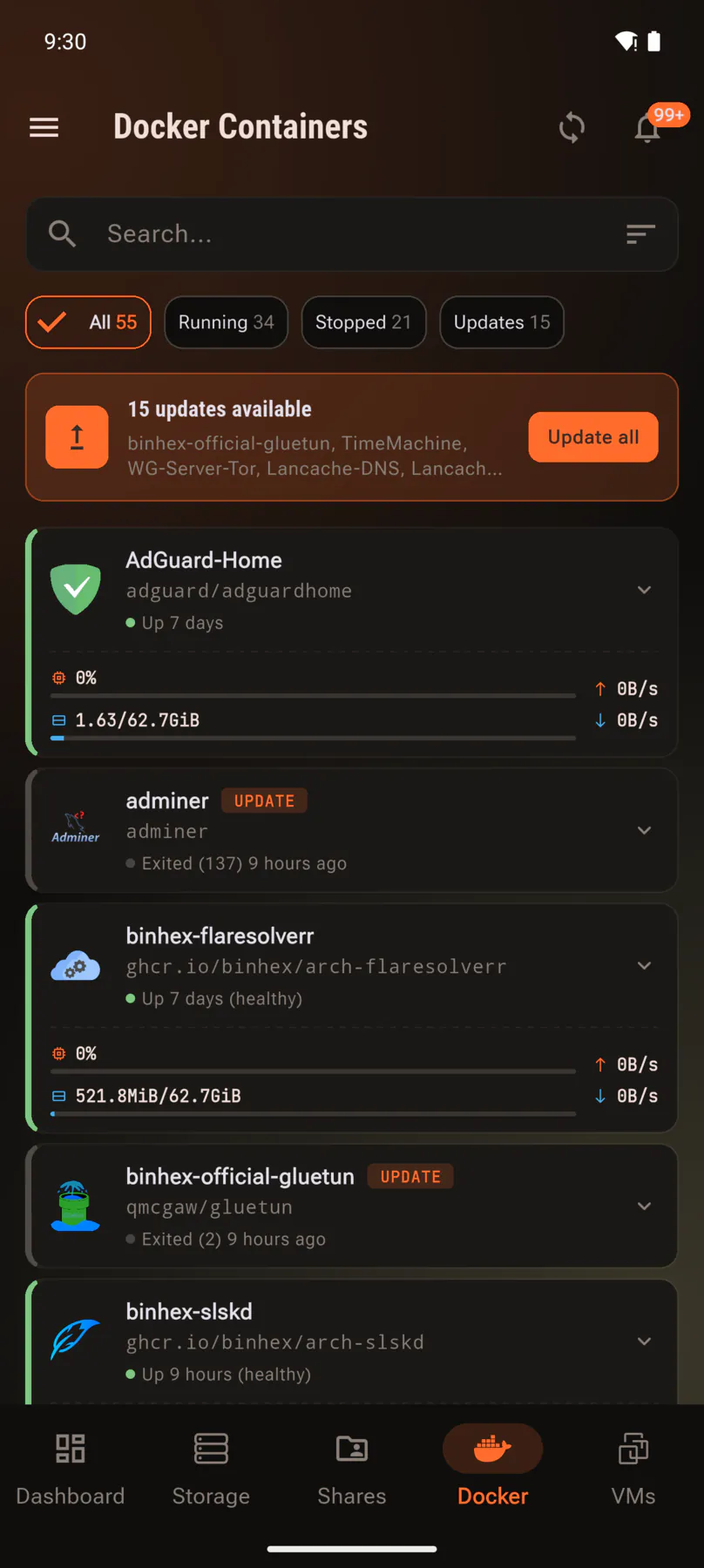
Docker container list with CPU, memory and network per container.
Video in · Containers
Every container, plus the ones with an update waiting. Live CPU, memory and network per container come with the Power Pack.Live stats: Power Pack
Expanded container showing Open WebUI, restart and stop buttons.
Video in · Actions
Tap a container for start, stop, restart and a shortcut straight into its web interface.
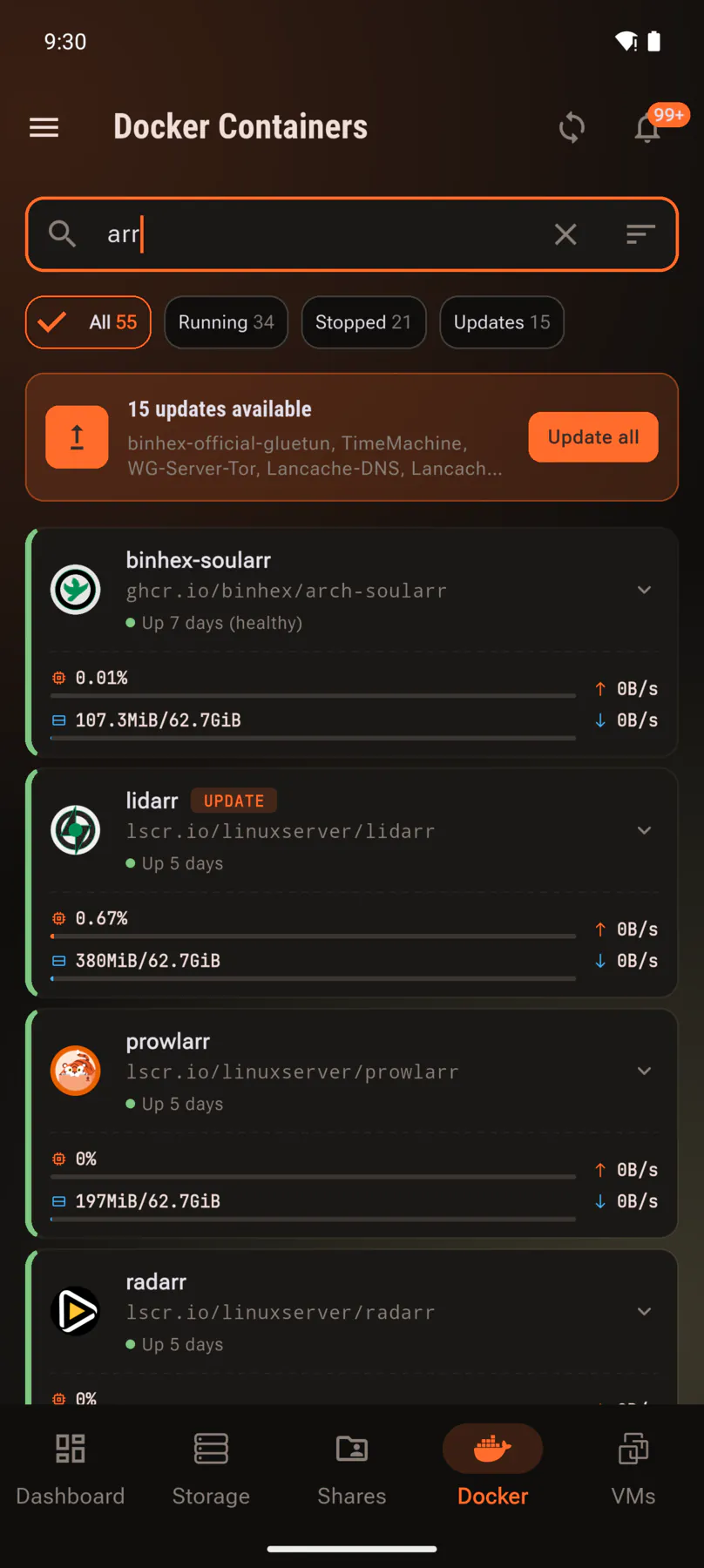
Container list filtered by a search term.
Video in · Search
Search by name, or filter down to what is running, stopped or waiting on an update.
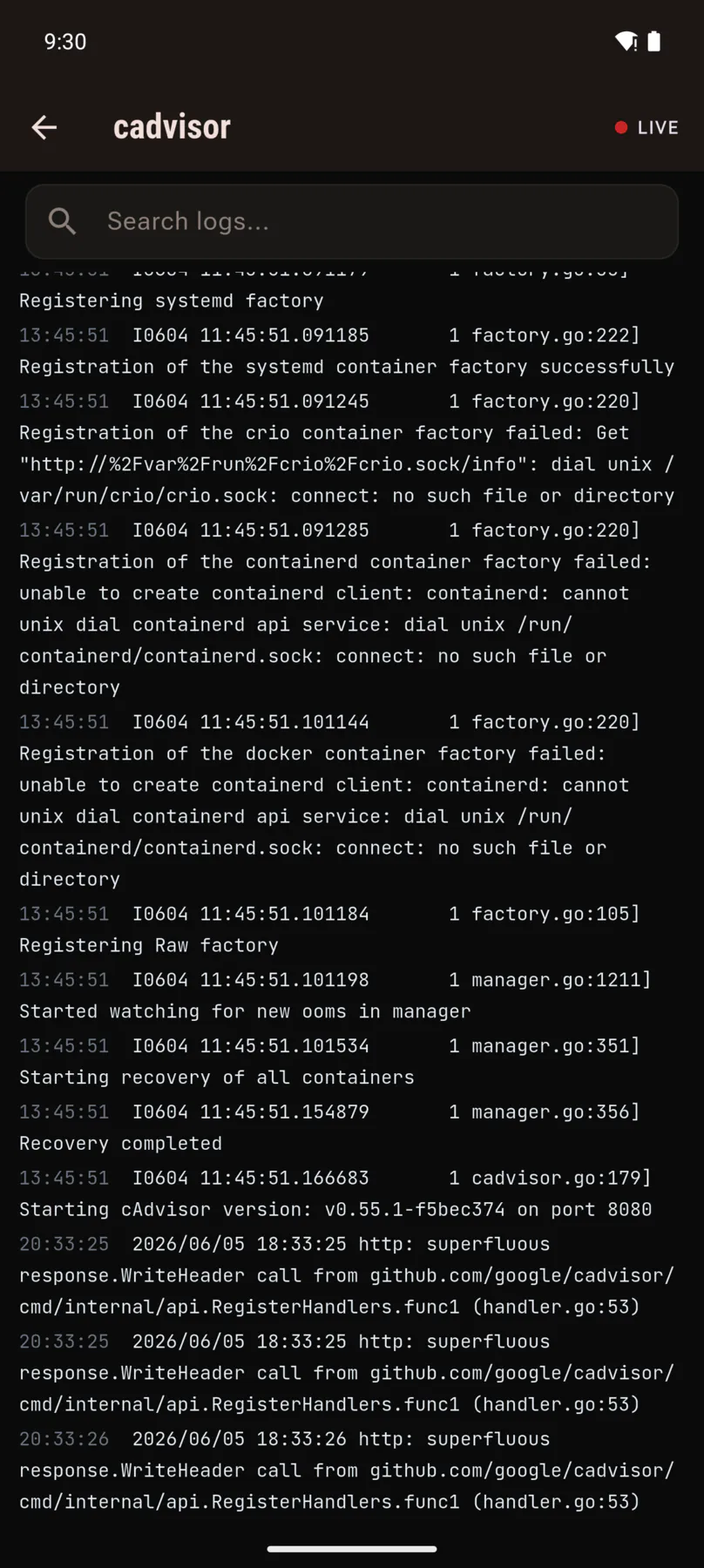
Live container log output with a search box.
Video in · Logs
Live logs, searchable, without opening a terminal.
CH 1/4
Bay 03 · Virtual machines

Full control of every VM

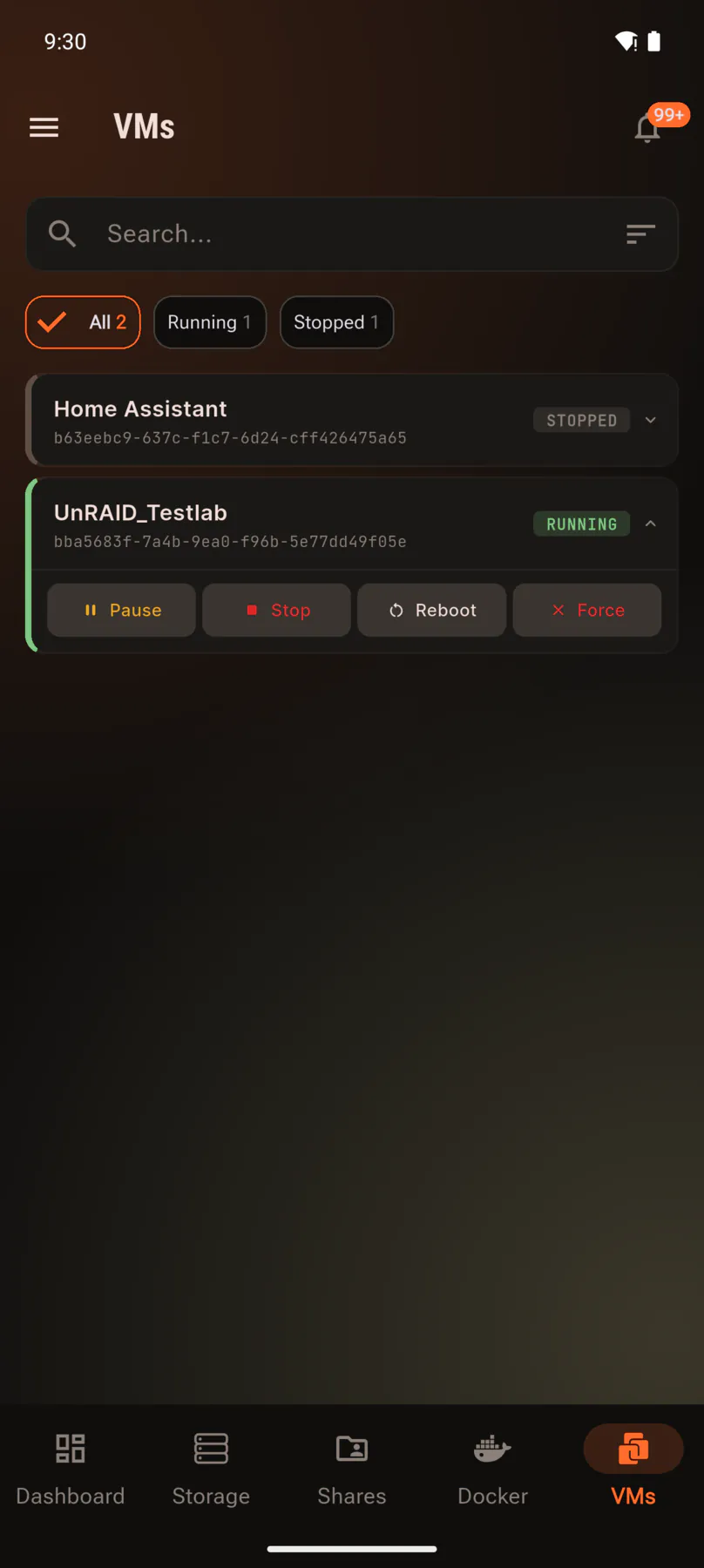
The whole lifecycle from one screen. Bring a machine up before you get home, or shut one down you left running.

  • Start, pause, resume, shut down and restart
  • State at a glance across every VM
  • Filter by running or stopped
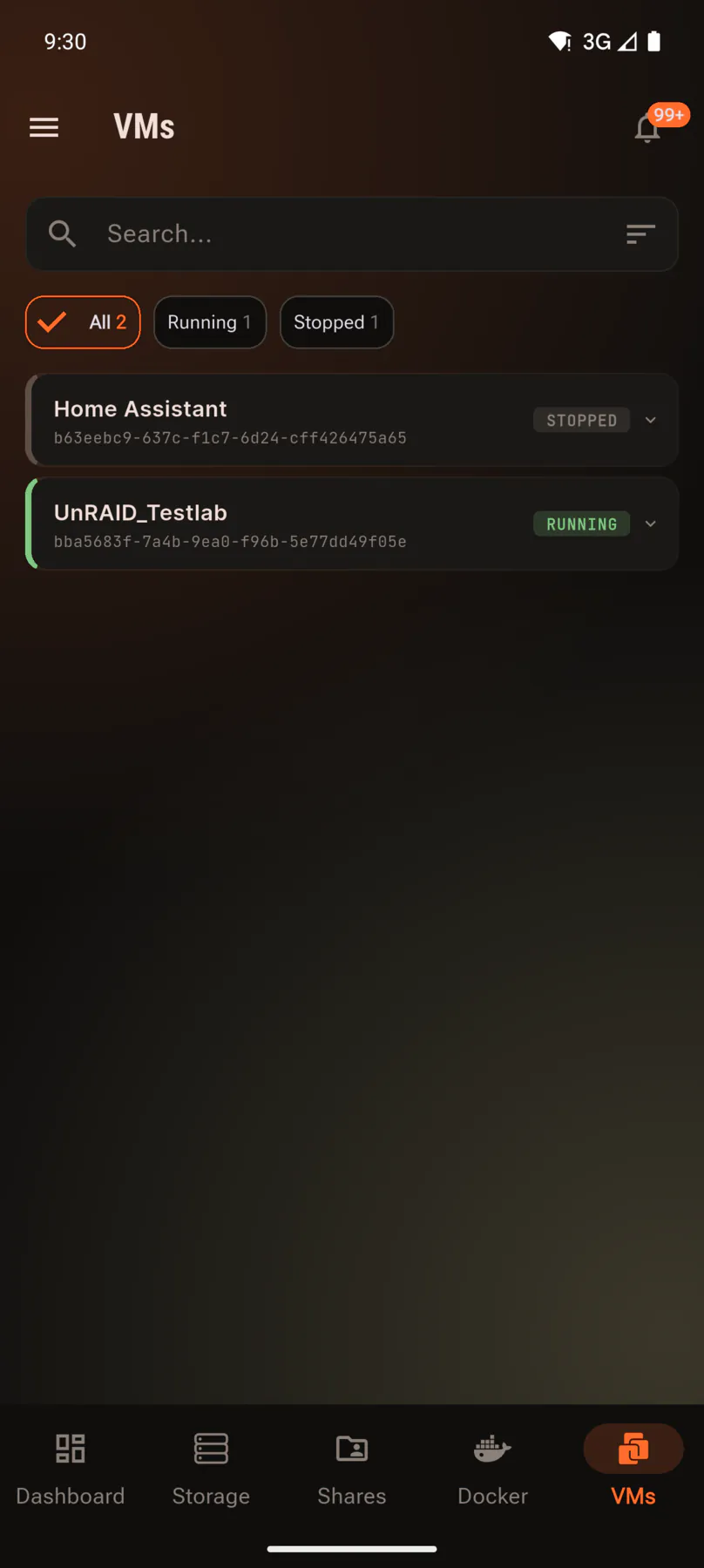
Virtual machine list showing running and stopped states.
Video in · Machines
Every machine with its state, filtered by running or stopped.
Expanded virtual machine showing pause, stop, reboot and force controls.
Video in · Actions
Pause, stop, reboot or force off, right from the list.
CH 1/2
Bay 04 · File browser

Reach your files from anywhere

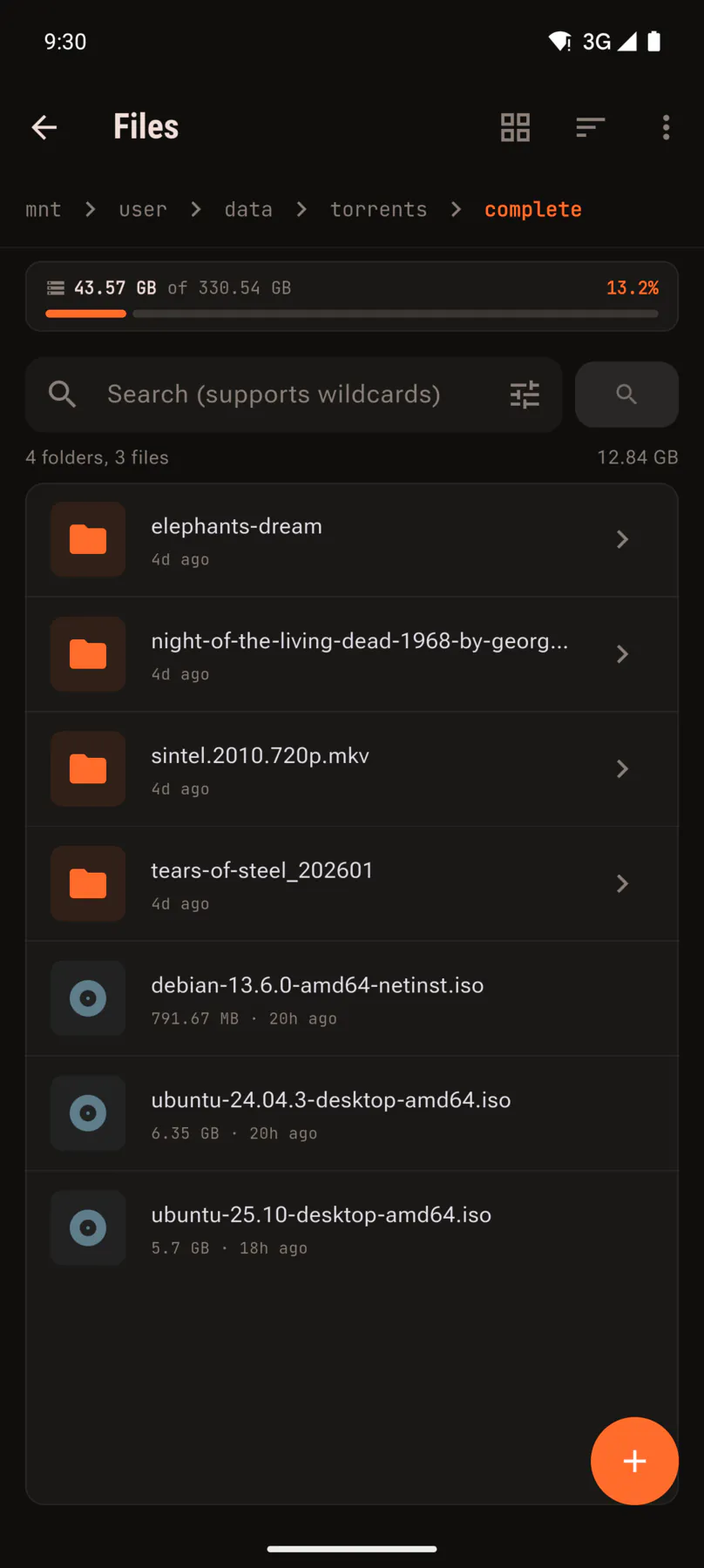
A real file manager, not a listing. Move things around, fix permissions and preview media without downloading it first.

  • Browse, upload and download, with background transfers
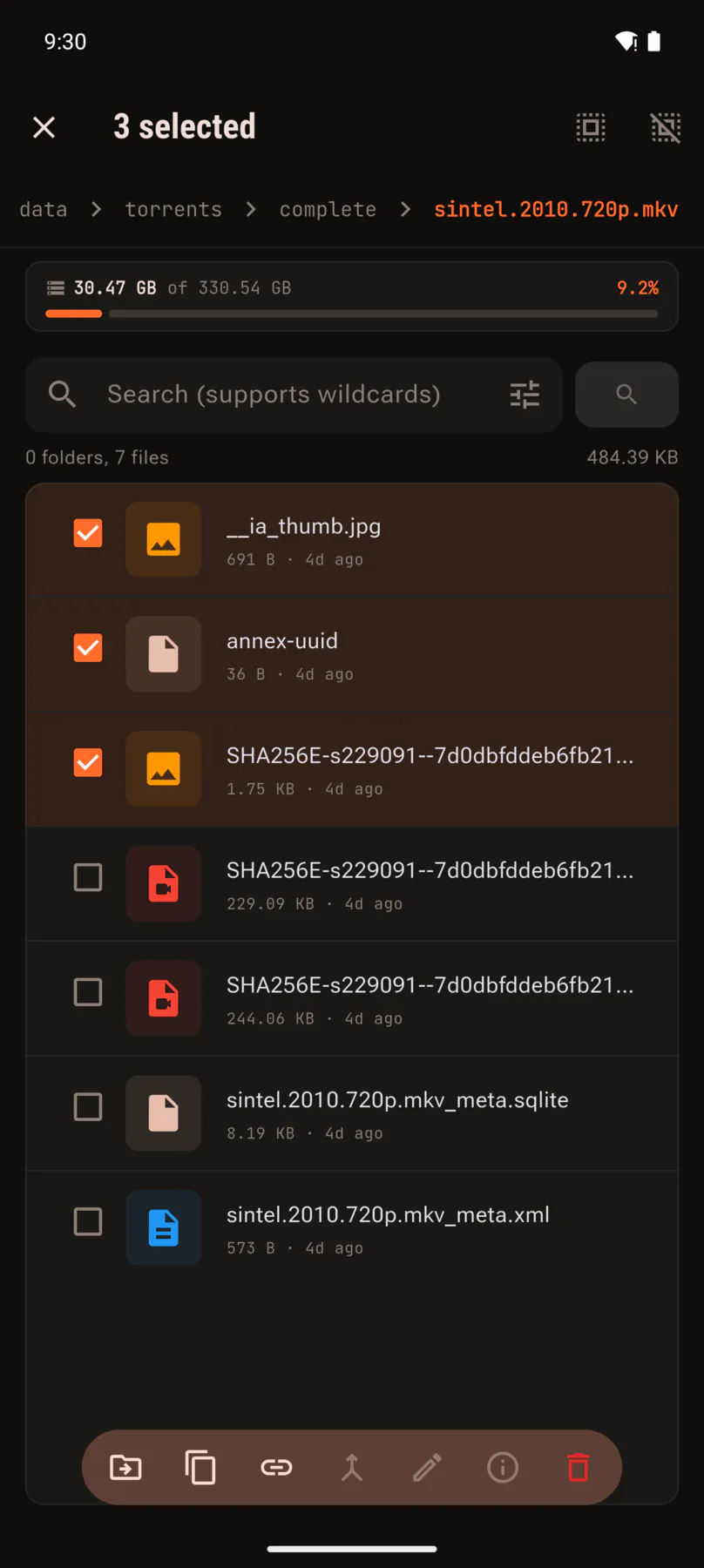
  • Copy, move, rename, delete and set permissions
  • Preview images and video in placeFile browser add-on
  • Search with regular expressions
File browser listing folders and files with sizes.
Video in · Browser
Browse the server like a file manager, with sizes and dates.
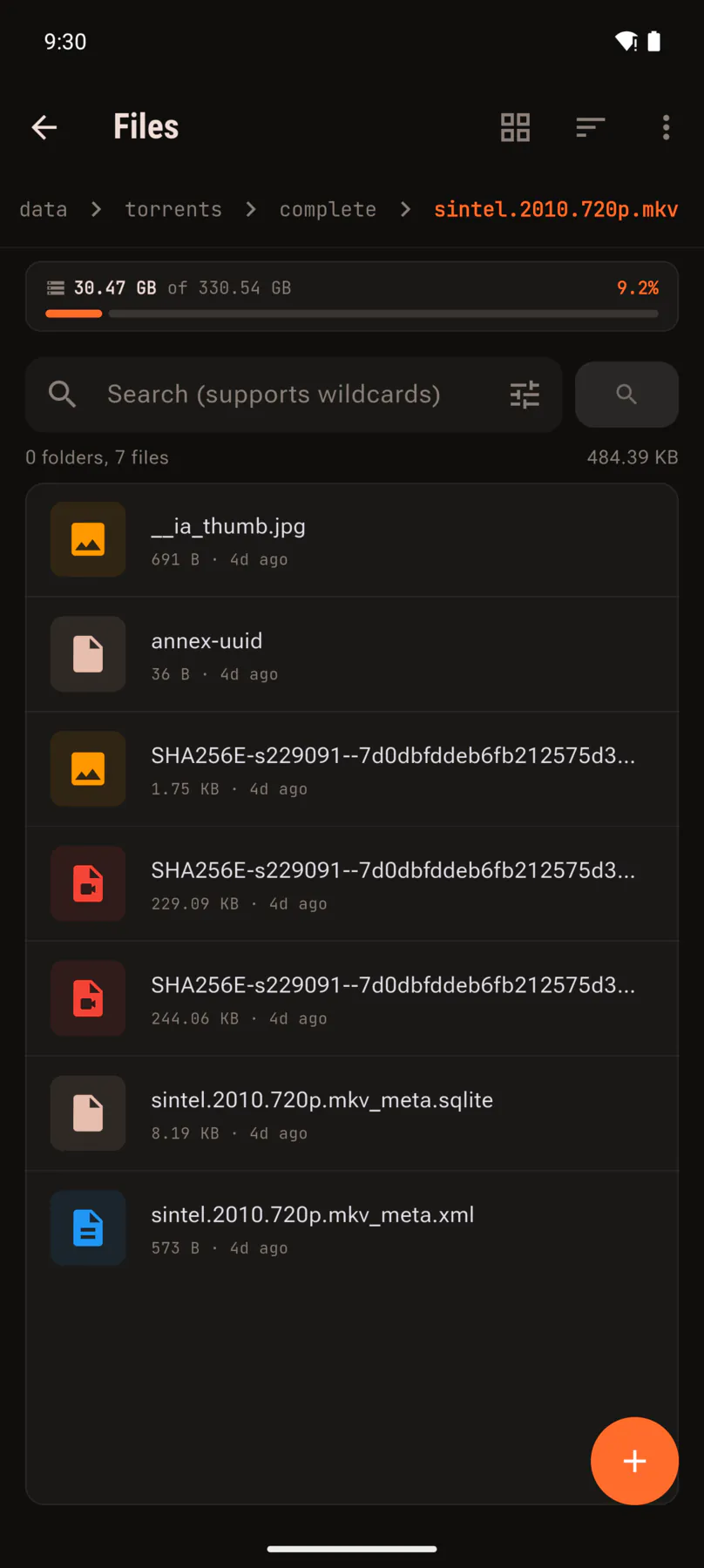
Folder contents showing images, text and database files by type.
Video in · Media
Every file typed and sized, whatever it is.
Three files selected with a toolbar of move, copy, rename and delete.
Video in · Selection
Select several and move, copy, rename, fix permissions or delete.
CH 1/3
Bay 05 · Shares

Find what is eating your array

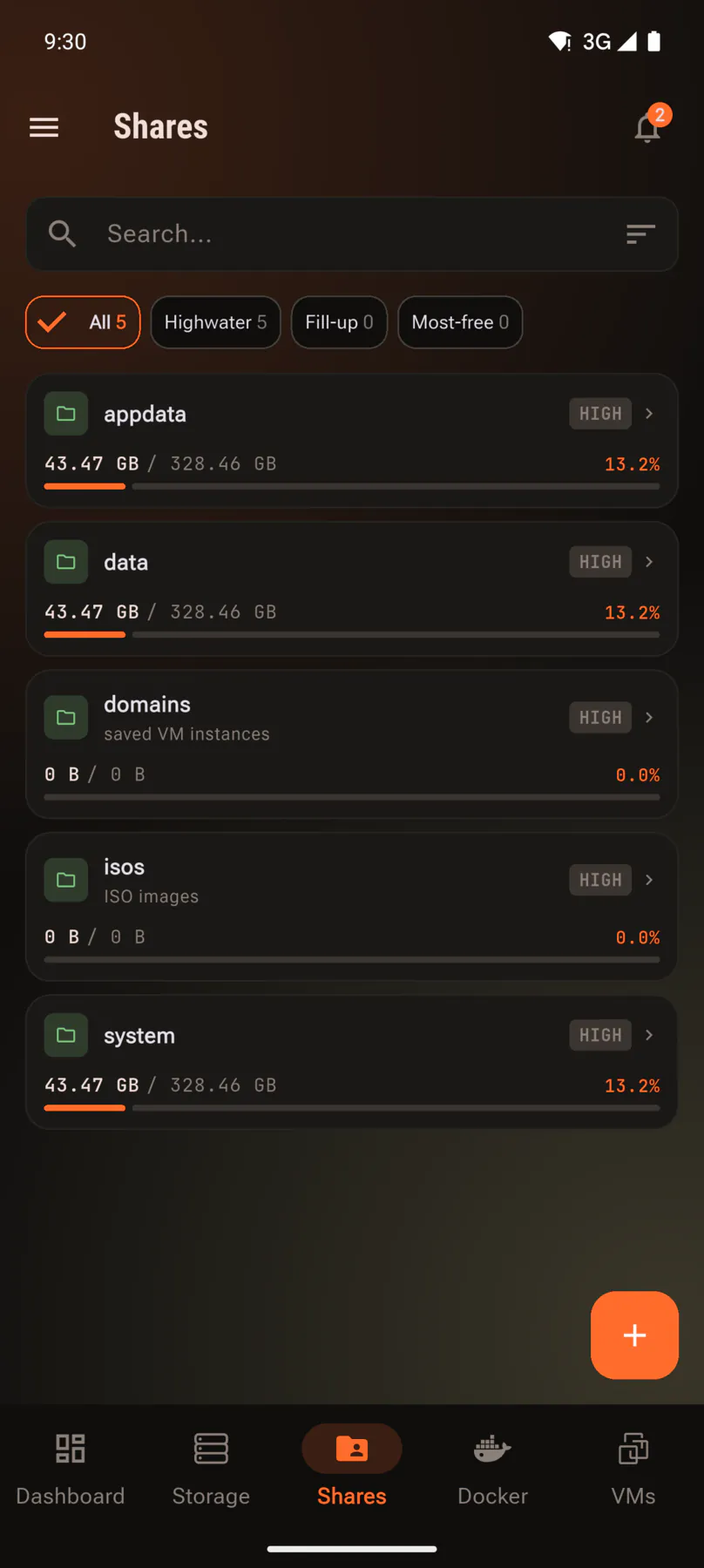
Every share with its used space and fill level, sorted the way you need it when the array is filling up.

  • Used space and fill level for every share
  • Sort by name, size or usage
  • Filter by allocation method: high-water, fill-up or most-free
  • Open any share and browse straight into it
Share list with used space and fill level per share.
Video in · Shares
Every share with how full it is, sorted the way you need.
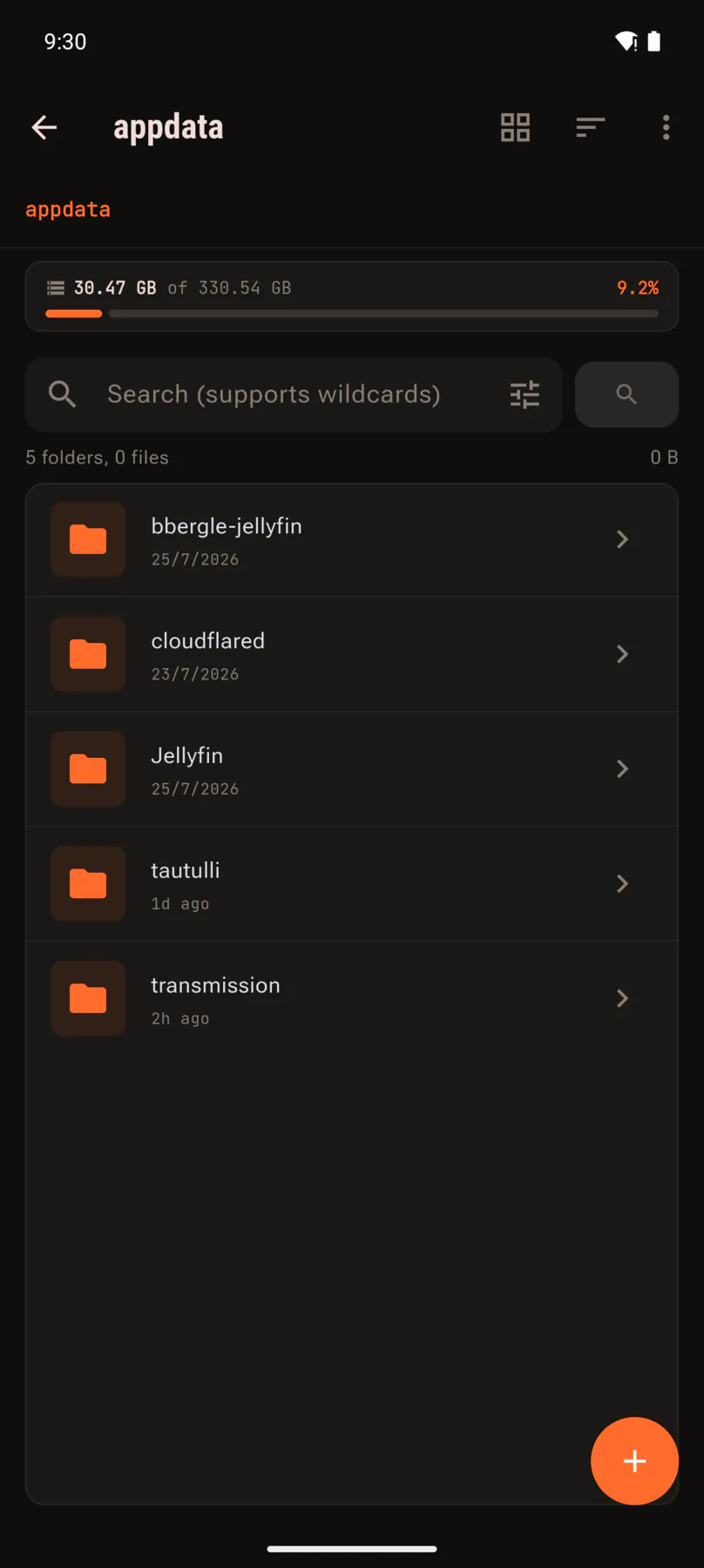
Contents of a share opened straight from the list.
Video in · Contents
Open any share and you are already browsing its contents.
CH 1/2
Bay 06 · TorrentsTorrent add-on

qBittorrent and Transmission built in

Your client on the server, driven from the phone, with everything the desktop UI shows you.

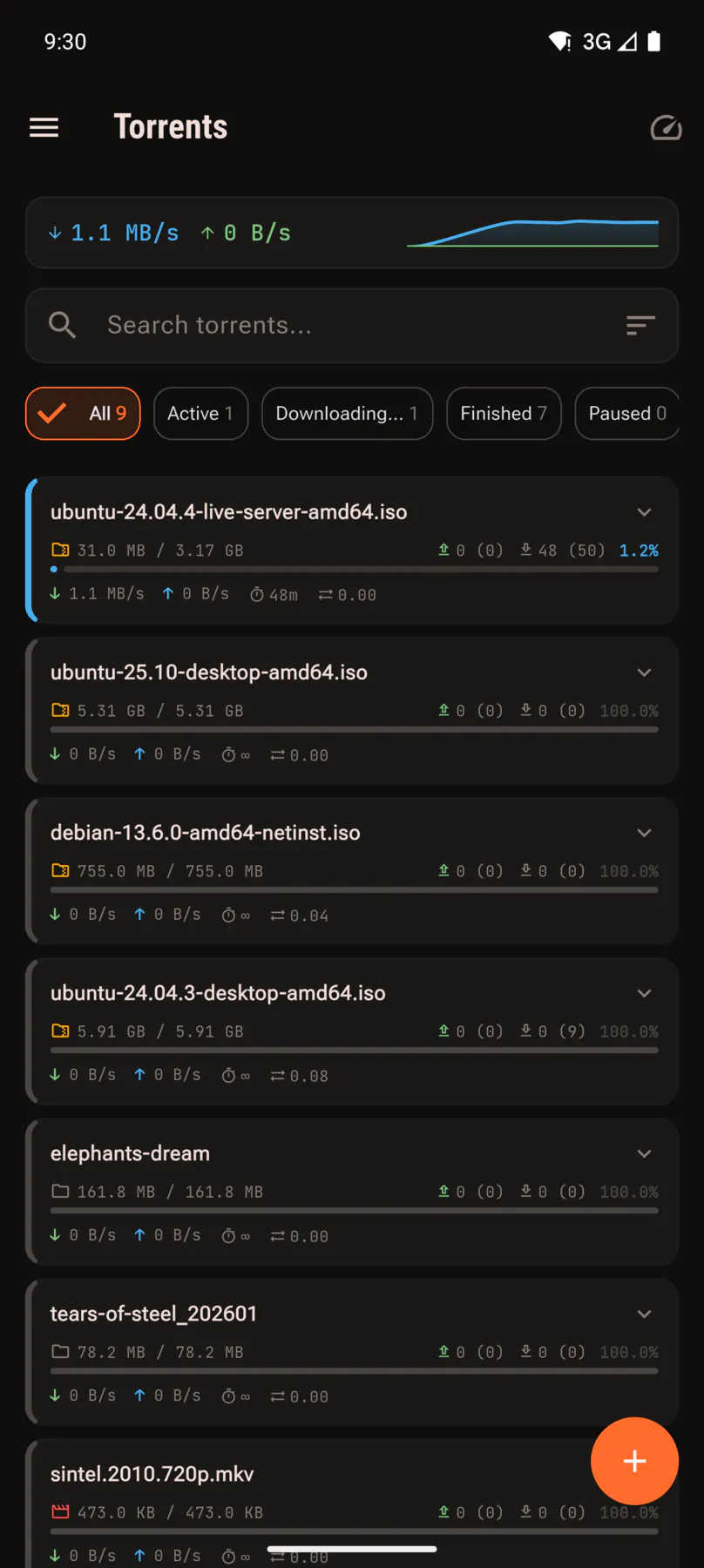
  • Live speeds, progress, ratio, ETA, seeds and peers
  • Filter by active, downloading, finished, paused or error
  • Add by magnet link or .torrent file
  • Act on several torrents at once
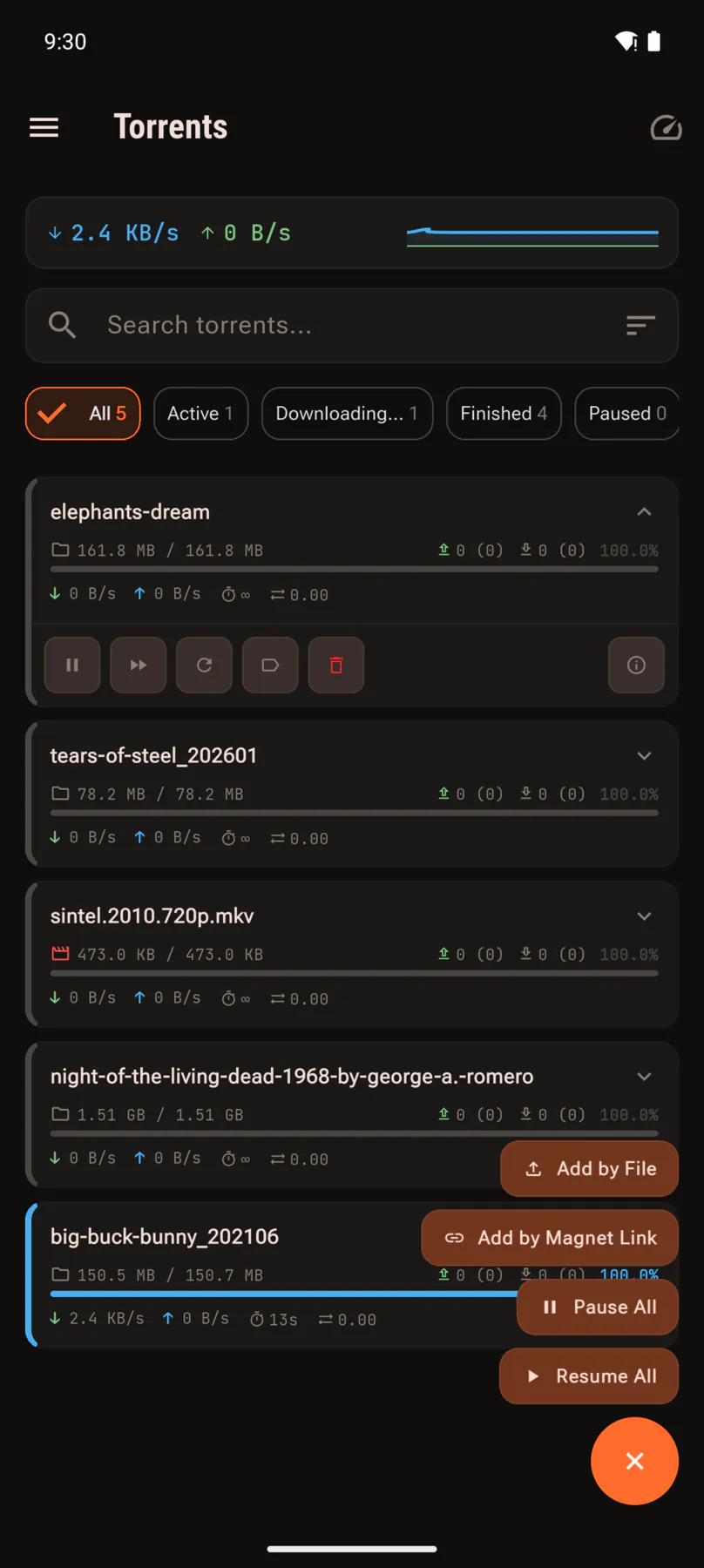
Torrent list with live download speeds and progress.
Video in · Transfers
Live speed, progress, ratio, ETA, seeds and peers.
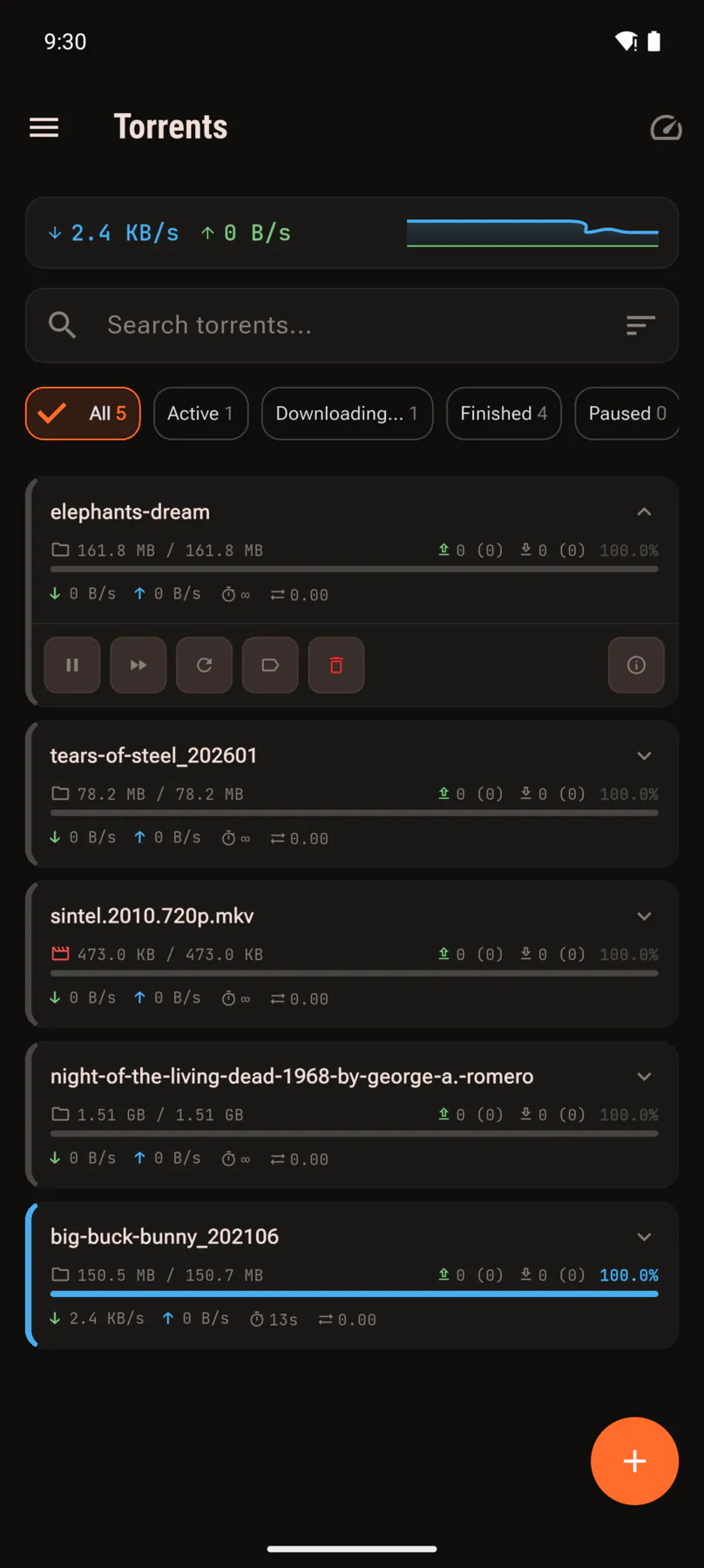
Expanded torrent showing pause, resume and remove controls.
Video in · Actions
Pause, resume, reorder or remove any torrent.
Menu offering add by file, add by magnet, pause all and resume all.
Video in · Add
Add by magnet or .torrent file, and pause or resume the lot at once.
CH 1/3
Bay 07 · Storage

Parity, temperature and disk health

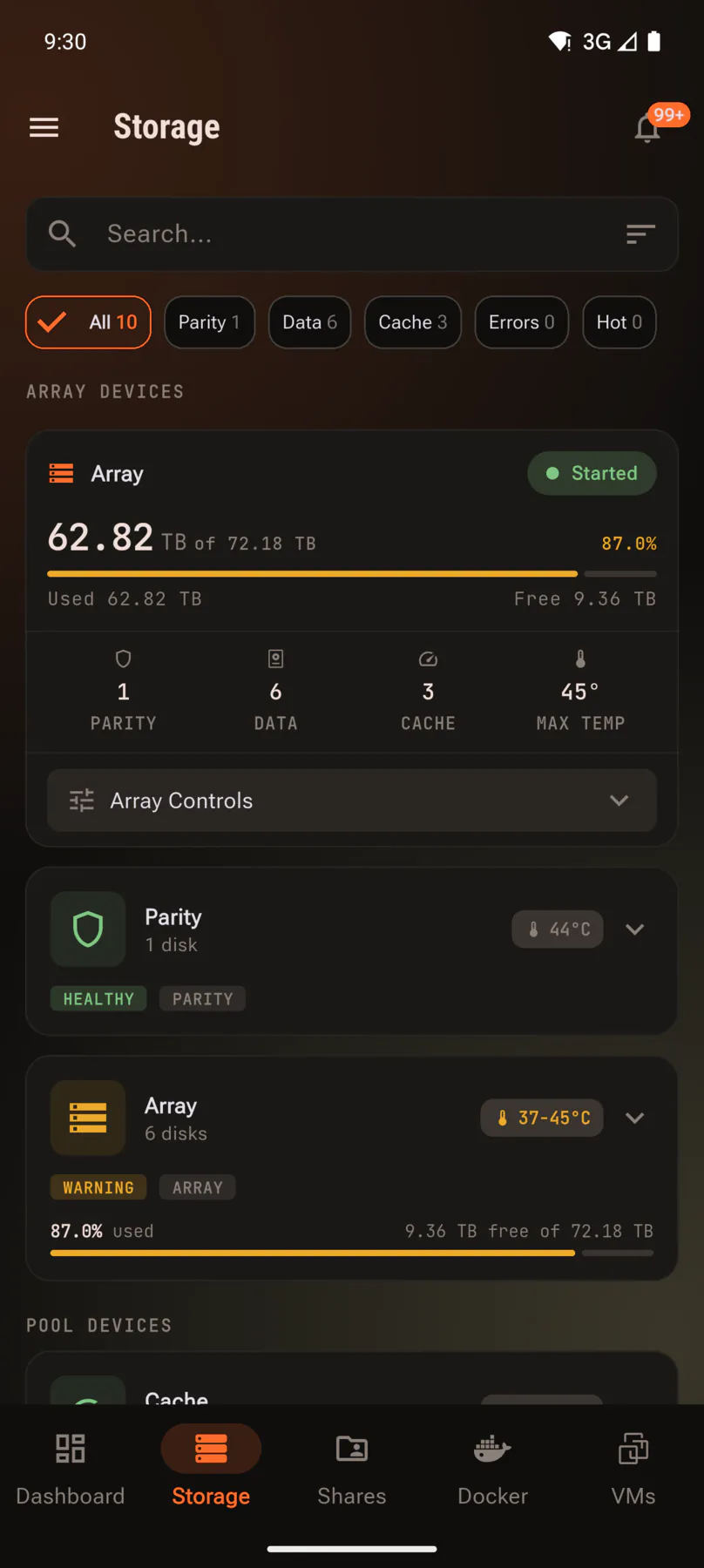
The array laid out device by device: what is parity, what is data, what is cache, how full each one is and how hot it is running.

  • Array, parity and pool devices in one list
  • Capacity, usage and temperature per disk
  • Health warnings surfaced before they bite
  • Array controls without opening the web UI
Storage view with array, parity and temperatures.
Video in · Array
The array, its parity disk and the temperature of each one.
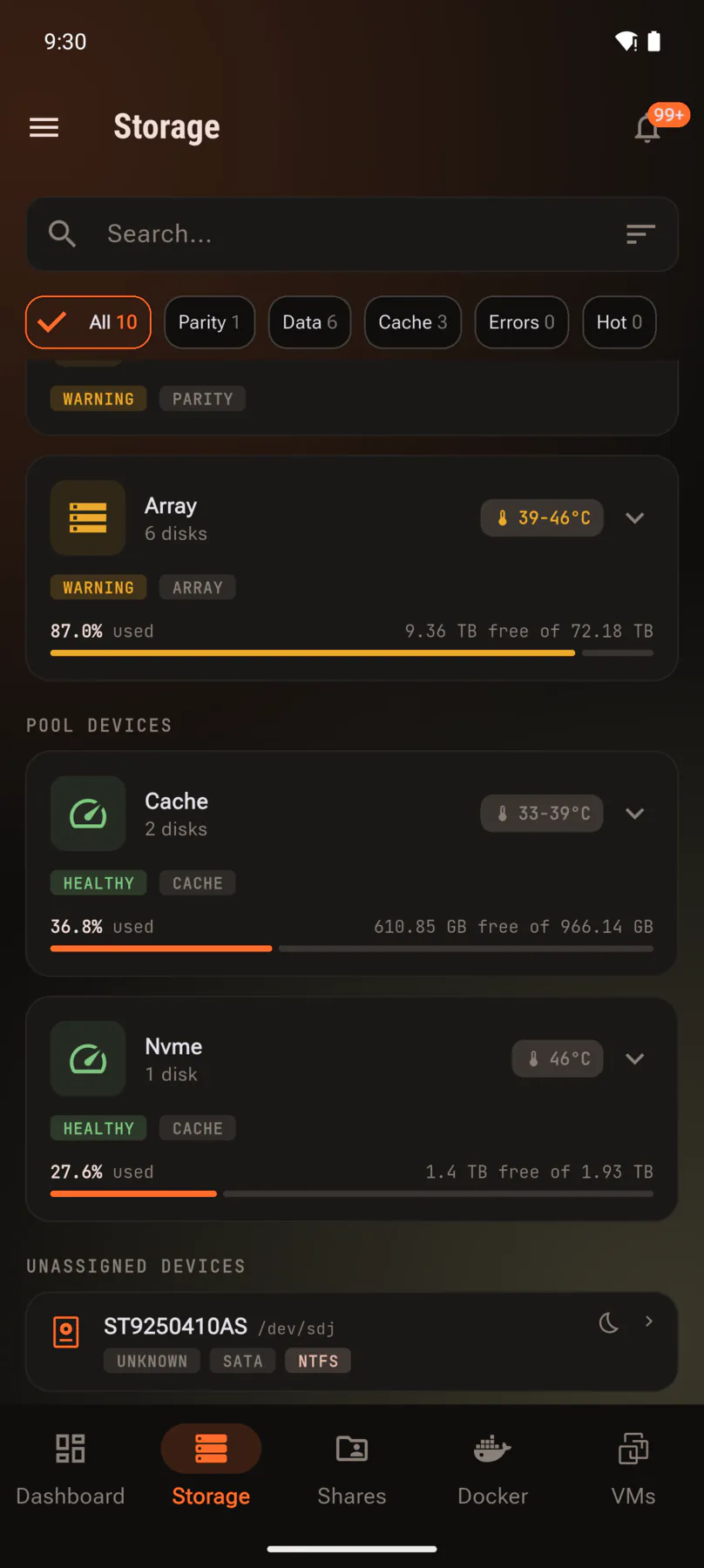
Pool devices and unassigned disks with health badges.
Video in · Pools
Cache pools, NVMe and unassigned disks, each with a health badge.
CH 1/2
Bay 08 · Notifications

Everything the server wanted to tell you

Parity reports, disk temperature alerts, container updates. All of it in one list you can actually work through instead of ignore — and pushed to your phone the moment the server raises it.

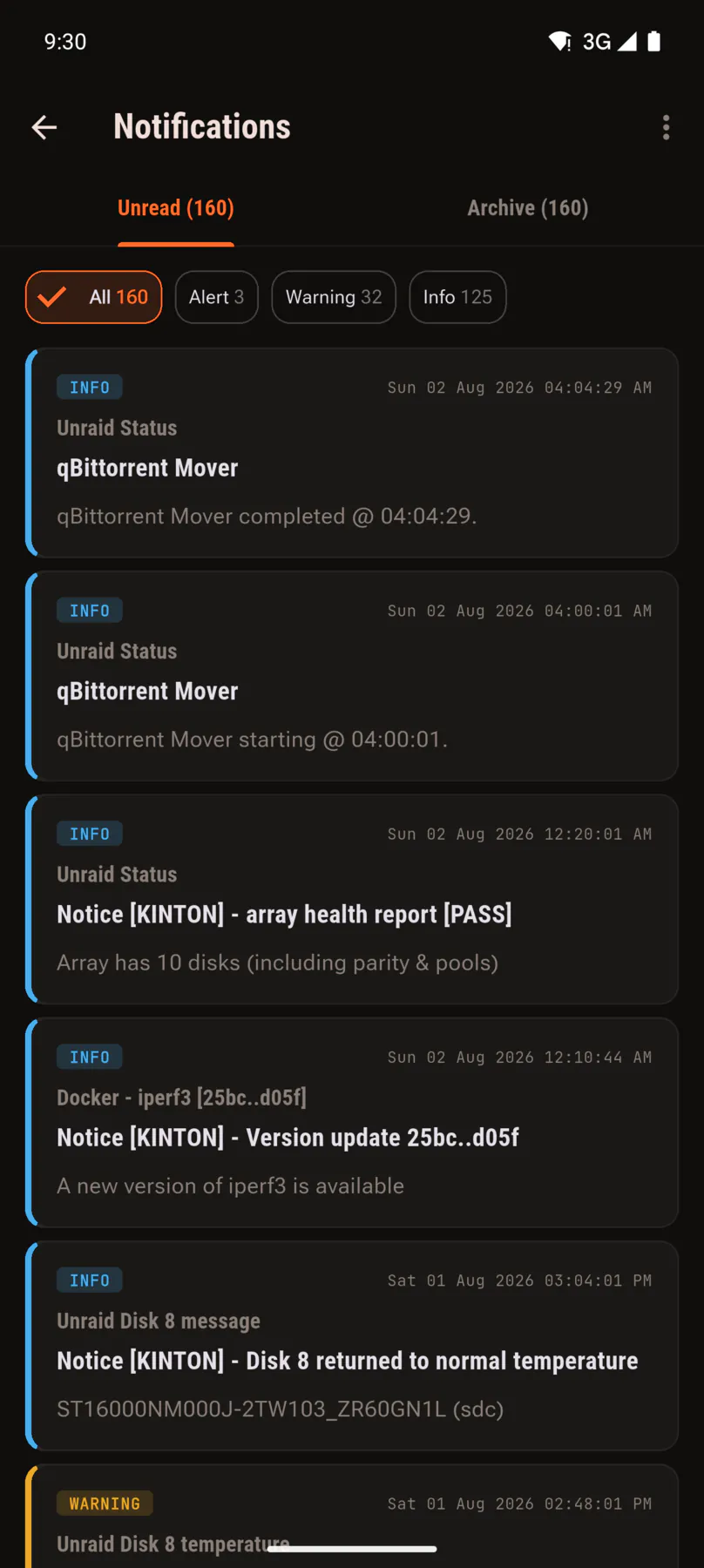
  • Filter by alert, warning or info
  • Unread and archive kept apart
  • Mark as read, archive or delete in bulk
  • Push notifications to your phone, with the free U-Manager Notifications plugin
Notification centre with unread server notices.
Video in · Inbox
Everything the server has said, unread first.
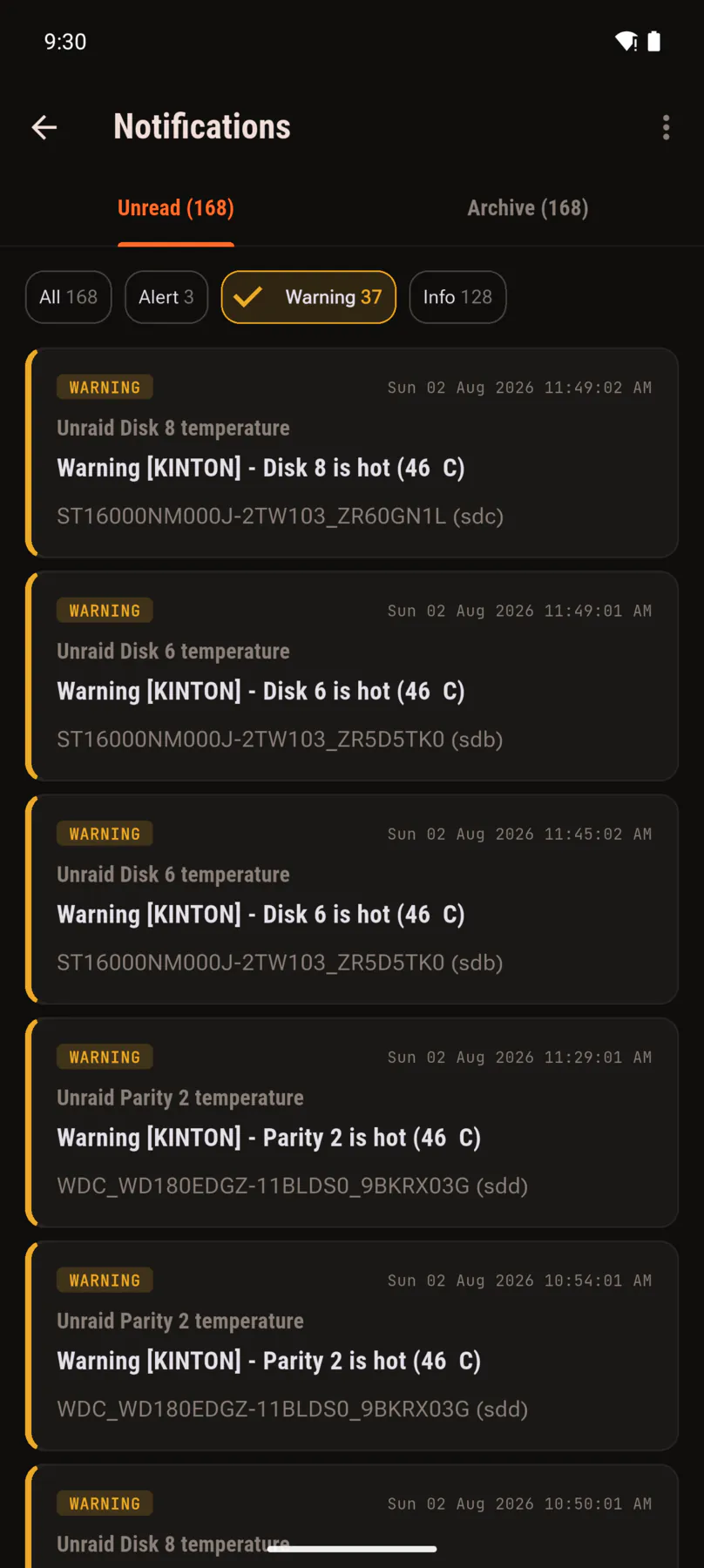
Notification list filtered down to warnings only.
Video in · Filter
Filter down to just the alerts or just the warnings.
CH 1/2
Bay 09 · Field operationsPower Pack

Run the server, not just watch it

Installing an app, adding a plugin or carving out a new share are things you normally sit down at a desk for. Not any more. Browsing the catalogue is free; installing, updating and creating shares need the Power Pack add-on, which also wants the free Unraid Companion plugin on the server.

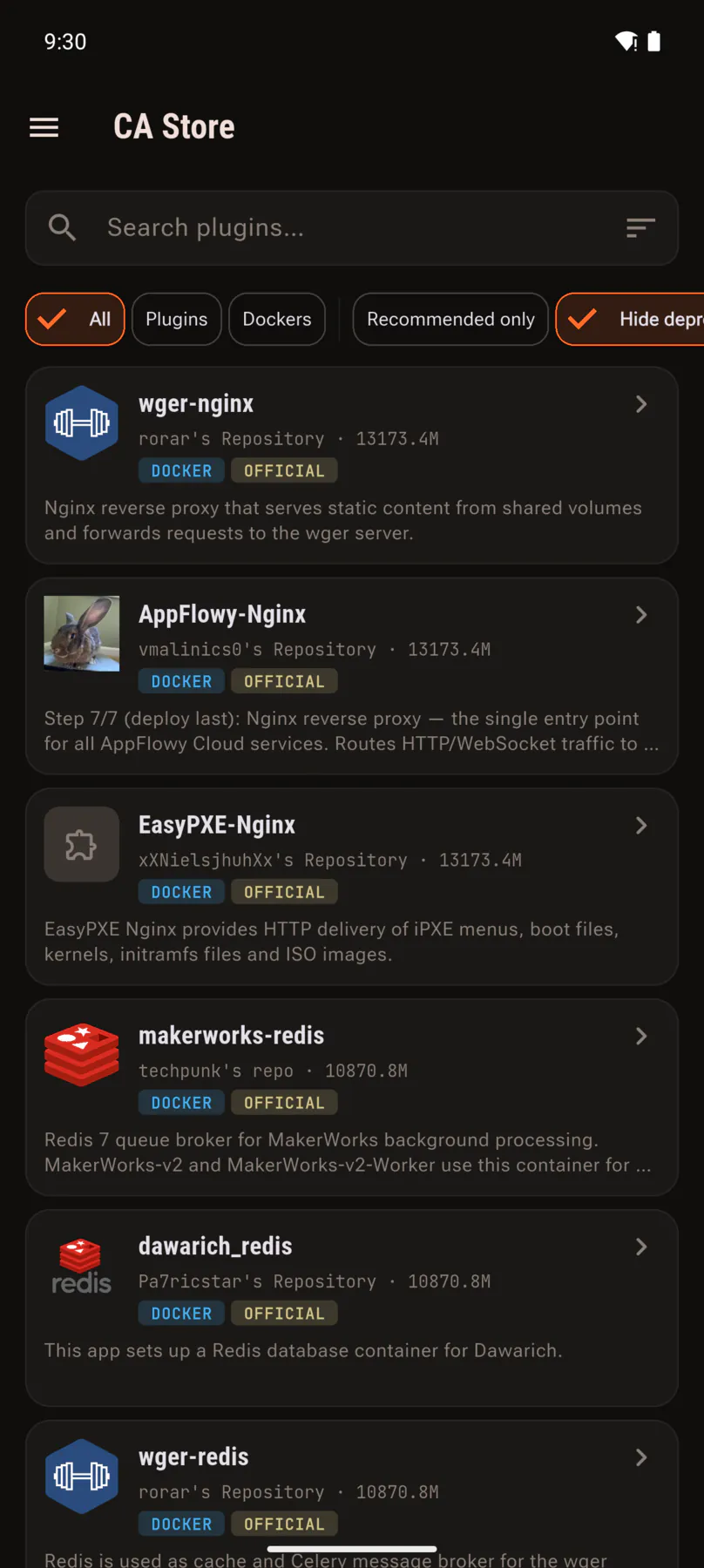
Community Applications catalogue with search and filters.
CA store

Browse Community Apps

The whole catalogue, searchable, filtered by plugin or container, with the official badges you already know.

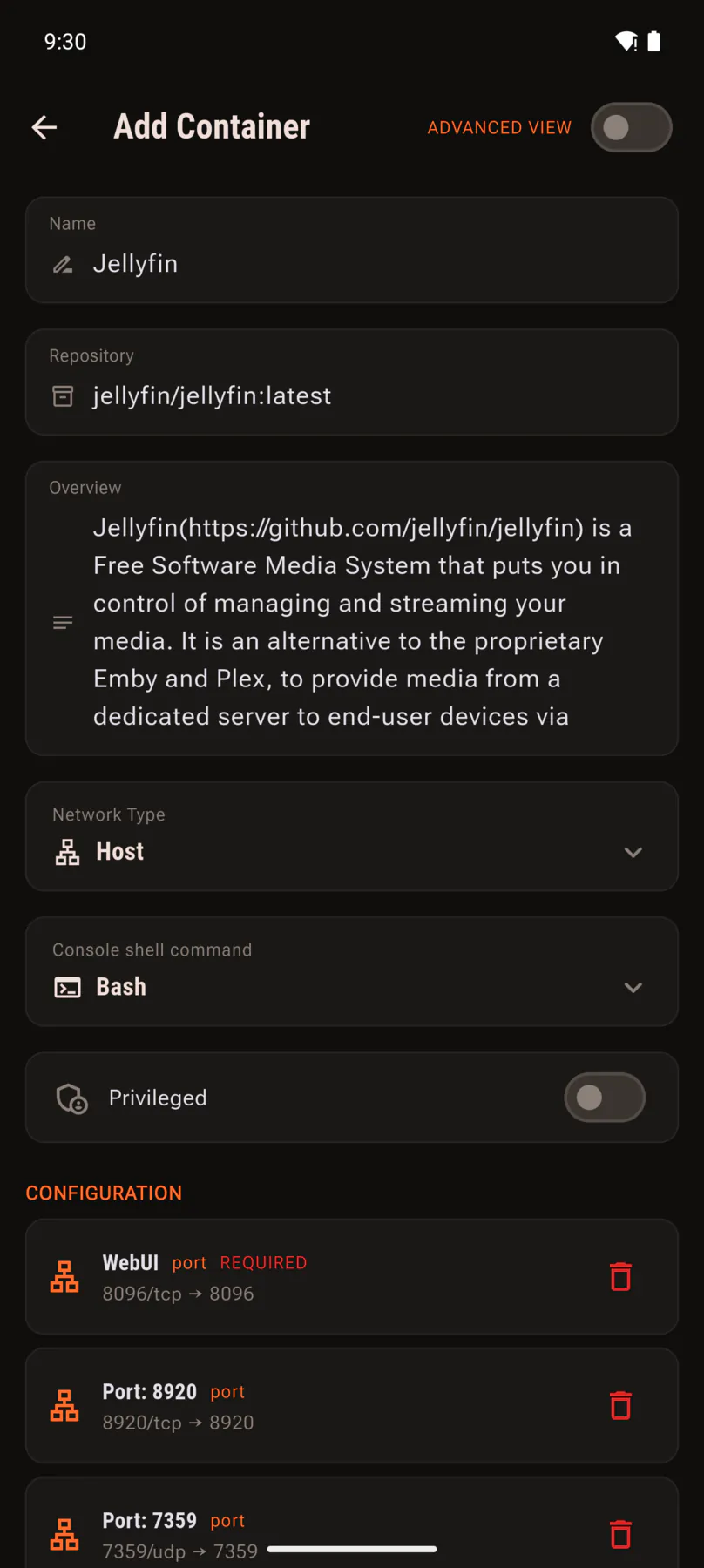
Add container form with repository, network type, privileged toggle and port mappings.
New container

Install and configure containersPower Pack

Set the repository, network, shell and privileges, then edit every port, path and variable before it ever runs.

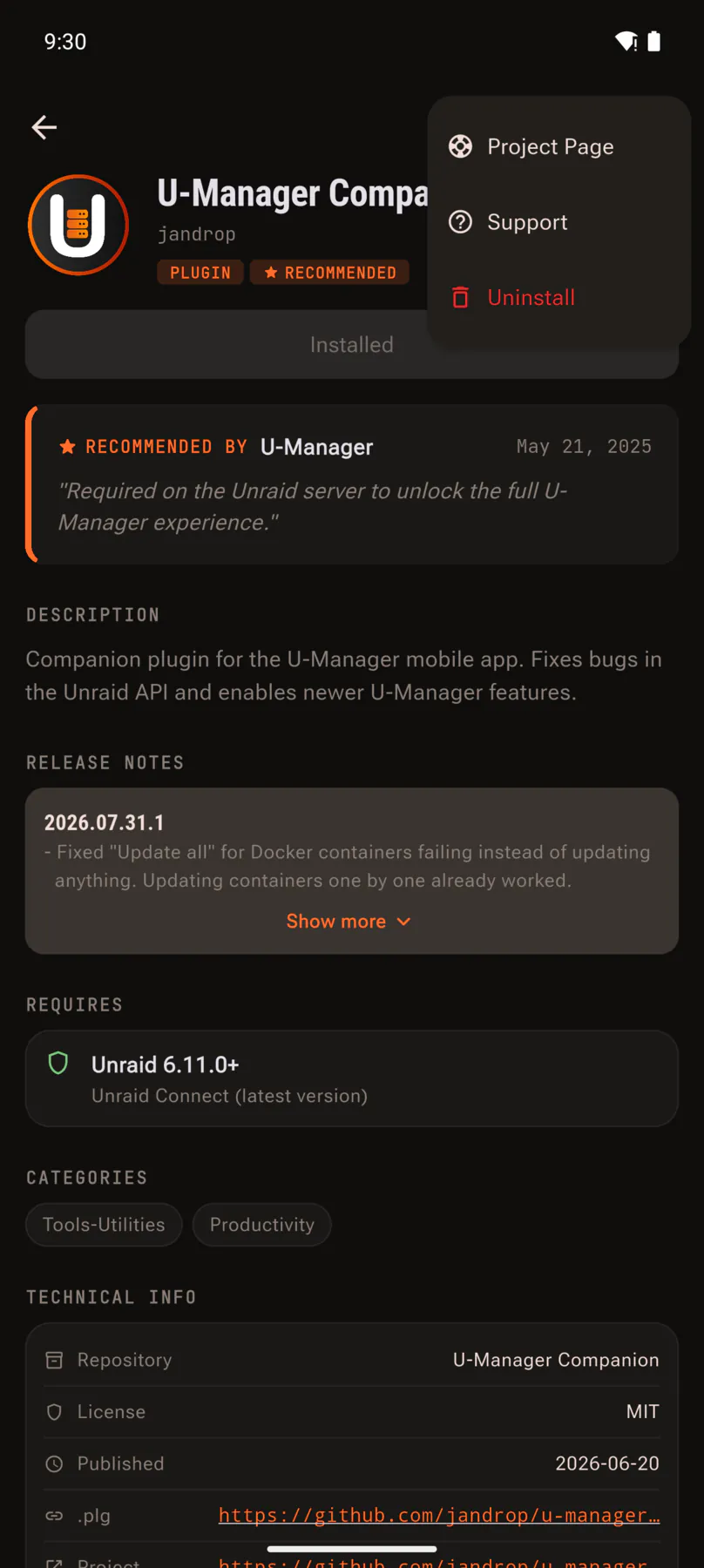
Plugin page with release notes and a menu offering uninstall.
Plugins

Install, update and remove pluginsPower Pack

Add one from a URL, read its release notes, update it when a new version lands, or uninstall it outright.

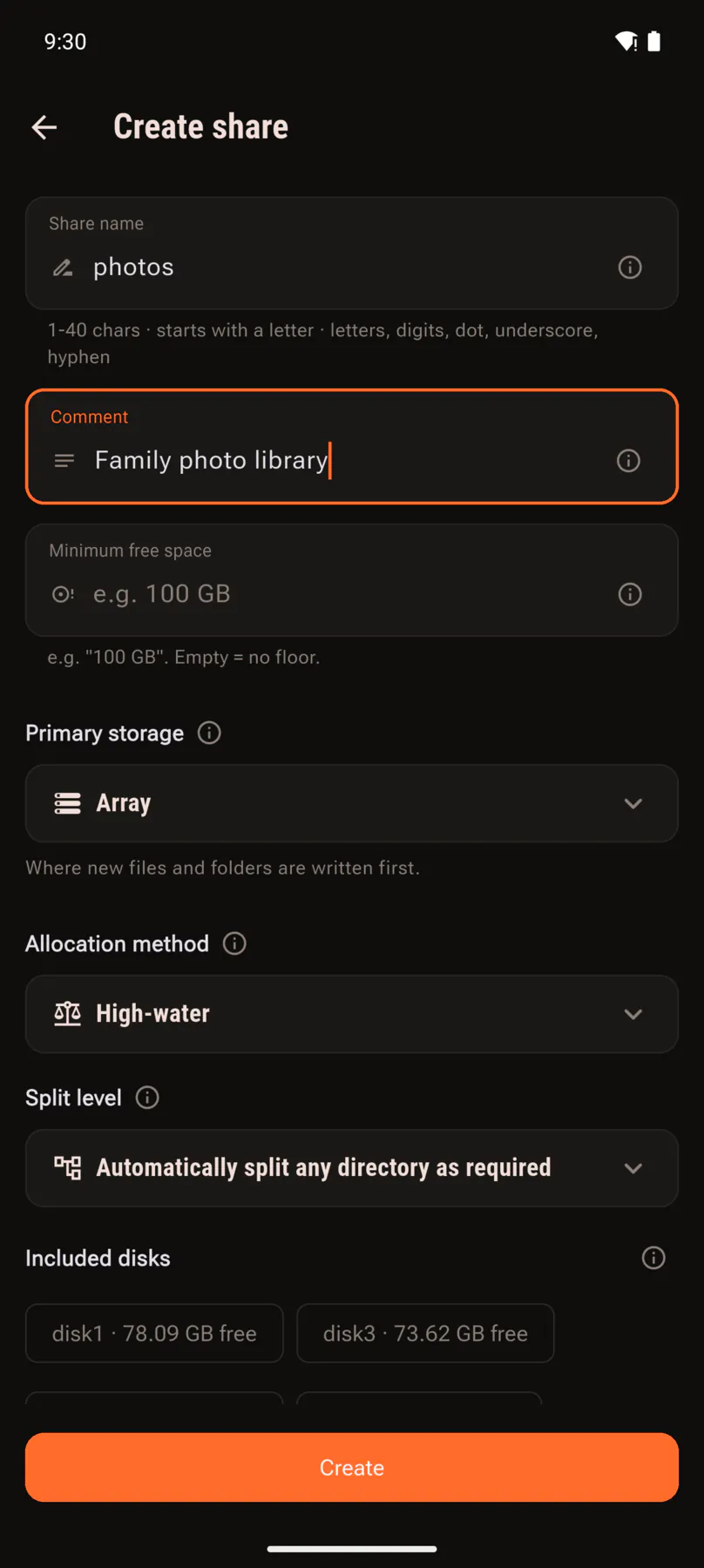
Create share form with name, allocation method and included disks.
New share

Create a sharePower Pack

Name it, pick the pool, the allocation method, the split level and which disks it lives on.

Bay 10 · Expansion slots

What the add-ons unlock

The app is free and stays useful without spending anything: dashboard, Docker and VM control, shares, storage, UPS monitoring, notifications and the file browser all work as they are. Four add-ons extend it — and All Access starts with a free month if you want to try the lot.

Slot 01

Power Pack

Live Docker stats, the dashboard network card, bulk container updates, installing plugins and apps from the CA store, and creating or editing user shares.

Needs the free Unraid Companion plugin

Slot 02

Torrent

Remote control for qBittorrent or Transmission: forward magnets and .torrent files from any app, act on torrents in bulk, set speed limits and watch throughput live.

Slot 03

File browser

Turns the browser into a gallery: image previews and a full-screen viewer, folder and video thumbnails, in-app video playback and an in-progress operations widget.

Slot 04

Tautulli

Plex control from your phone: end active streaming sessions, filter and export months of history to CSV or JSON, and read monthly, yearly and all-time graphs.

Lifetime unlock

Not a fan of subscriptions? Pay once for the add-on you want and it is yours forever.

All AccessFirst month free

One subscription keeps every add-on unlocked, including the ones that land later. The first month is free; after that it renews until you cancel, and you can cancel any time from Google Play.

And the rest of it

The things you notice once you have been using it a while.

Multiple servers

Add as many Unraid boxes as you run and switch between them with a single tap.

Locked down

Unlock with fingerprint or face. Credentials are stored encrypted on the device, and no personal data is collected.

Built for the long run

Active development with regular releases, a public issue tracker and a Discord where you can actually reach the developer.

Connecting takes a minute

No plugin required. U-Manager uses the GraphQL API built into Unraid.

Quick start — no plugin required
  1. Keep the API current

    Install the official Unraid Connect plugin. It keeps the Unraid API on its latest stable release, which is what the app talks to. No account needed.

  2. Create an API key

    In the Unraid web UI go to Settings, Management Access, API Keys. Create one with the admin role and copy it.

  3. Add your server

    Open the app, enter the server address and paste the key. That is it.

Before you install

Specification plate
Min firmware Unraid 6.12 or newer, with the API enabled. Unraid beta releases are not supported.
Auth An API key created in the Unraid web UI.
Network Access to the server, on your LAN or remotely through your own VPN or reverse proxy.
Platform Android. An iOS version is in testing.

⚠ Notice

Behind a reverse proxy, or setting up the file browser and push notifications? The how-to guide walks through custom headers, the companion plugin and the connection errors people hit most.

Parity check in progress…

Put the server in your pocket

No account, no telemetry, and your keys never leave the phone.

Install ▶

Free core app · no account · 0 bytes collected